New Post

Rss

Thursday, April 4, 2013
no image

Why Use Google AdSense?

People are constantly looking for ways to make money from their websites and blogs. Google AdSense is a simple solution, especially if the website is frequently visited. AdSense is Google's way to provide companies venues for their advertisements. A website owner adds a Google AdSense banner, and Google automatically fills that banner with ads from its customers.

It's Free and Easy

Google AdSense is completely free to join and add banners to your website. You simply have to follow the four steps on the Google AdSense "Getting started with AdSense" page -- read program policy, select the product, select design and get and paste code -- and you are all set to begin using AdSense. Some websites, such as Blogger, make it even easier by including graphical versions of the code you can add to the design of the Web page.


You Make Money

Of course, the only reason to include an ad on your website to reap some sort of benefit. Google will pay money each time someone clicks on an ad or views an ad that was on your website. It does this because Google is auctioning off the space on your Web page to advertisers, who are in turn paying Google. The amount you earn will depend on how popular your site is and how much money advertisers are willing to pay for your type of content.


Ads Are Targeted

When you add banners from other companies, you are often stuck with the same annoying ad, which may eventually become irrelevant to your website's target audience. Google has resolved this by generating ads based on the content of your website. It scans your website for keywords and determines what ads match with your website. Companies may also specify your website as a good match for their ads. Google also analyzes the interests of viewers from your website through your "Ads Preferences Manager."


Ads Are Unobtrusive

AdSense ads are not like those 1990s flashing banners and virus-laden popups. Google recognizes your viewers are visiting your website to read the content, so it has attempted to make ads that are obvious, but do not distract from your website. The ads are usually small boxes placed on your website based on your preferences. You can also customize your ad colors and choose from multiple ad formats so the ads match the design of your website, or stand out more if that is your goal. The ads always include the words "Ads by Google" so your viewers will know it is not part of your website.
no image

Requirements to Open Google Adsense Accounts

Earn from your website or blog with Google Adsense.The Google Adsense online advertising network is an effective way to earn revenue from your website or blog. Sign-up for a Google Adsense account to display adverts on your website or blog pages and you'll get paid each time a visitor clicks on an advert. Google Adsense is widely used and welcomes applications from small publishers as well as large publishers. Your website or blog must meet Google Adsense eligibility criteria before it's accepted into the program.

Website Requirements

Applicants must have a working website or blog to join Google Adsense. A newly-established website or blog is acceptable in most parts of the word, including the United States, Canada and Europe. In some locations, including China and India, the blog or website must be established for at least six months before it qualifies for the Adsense program.


Content Conditions

Google Adsense has strict content policies to protect the interests of its advertisers. Adsense accepts applications only from websites with original content. If your site contains duplicate or stolen content -- including text, images and multimedia clips -- then Adsense will disable the account. Google also bars sites with adult content or content that promotes illegal activity, including file sharing and some video or music download sites.


Other Conditions

The quality of traffic to a website or blog is an important consideration for Google Adsense. Sites must meet strict criteria that prohibit the use of artificial traffic generation schemes or software because these can unfairly inflate advertiser costs. Applicants must also agree not to click the advertisements on their own sites. Google Adsense automatically disables accounts if it suspects click fraud. Applicants must agree to Google's advertisement display guidelines. All sites must also publish a privacy policy that meets Adsense terms and conditions.


Personal Requirements

The legal definition of an adult varies between locations, but you must be over 18 years old to qualify for a Google Adsense account. Applicants should also have a bank account for receiving regular payments from Google Adsense. The network pays publishers with a check or electronic funds transfer for each month when the minimum $100 payment threshold is met.
no image

How to Add Google AdSense to All the Pages on Your Website

To place Google AdSense ads on a Web page, you'll need to edit the page's HTML code.Google AdSense is one of the most widely used advertising networks on the Web. With Google AdSense, you can monetize your website by displaying ads targeted to your audience. Google's targeting is quite sophisticated and aims to maximize the number of ad clicks by visitors, which increases your revenue. To display Google AdSense ads on your website, you just need to insert automatically generated code from Google's AdSense website into the HTML code of any Web page.

Items you will need

    Text editor or HTML editor

Step 1

Navigate to the Google AdSense website and log in to your account. Click the "AdSense Setup" tab and then select "AdSense for Content."

Step 2

Follow the displayed instructions to customize your ad's format, color and other options.

Step 3

Select the HTML code displayed in the ad code window. Right-click on the highlighted text and choose "Copy" from the context menu.

Step 4

Open the source code of any page on your website in a text editor or HTML editing program.

Step 5

Paste the Google AdSense code into your Web page. The code must be between the page's opening and closing tags. Where you paste the code will determine where the Google ads appear on the page.

Step 6

Save the Web page and then view it in your browser to make sure the AdSense ads display correctly. If you'd like to move the code elsewhere on the page, simply open the page in your editor and move the code.

Step 7

Repeat the previous steps for every other Web page on which you would like Google ads to appear.
Wednesday, April 3, 2013
How to change folder icons?

How to change folder icons?


Steps 

Right click on the folder.
Then click on the properties.
Then click on customize tab.


Click on 'Change icon...'


We can select any from the list or if we are having more icons then click on browse and locate them.After selecting icons click OK.

  If you want to download more icons then click below.


Youtube Video Downloading Trick Without Software

Youtube Video Downloading Trick Without Software

Step 1 :   Go to the Youtube Video URL That You Want To Save.
Step 2 :   Suppose Your Link is

"http://youtube.com/watch?v=GA-5_od-R_A&feature=youtu.be"

Just add "ss" Before "Youtube"
Like This

"http://www.ssyoutube.com/watch?v=GA-5_od-R_A&feature=youtu.be"

And that's it....

If you have any dobut regarding this,

Please Commet and Ask it...

And Enjoy Downloading Youtube Videos...... 

Watch This Video Tutorial ....
no image

Increase Your iPhone Battery Life With These Easy To Use Tips

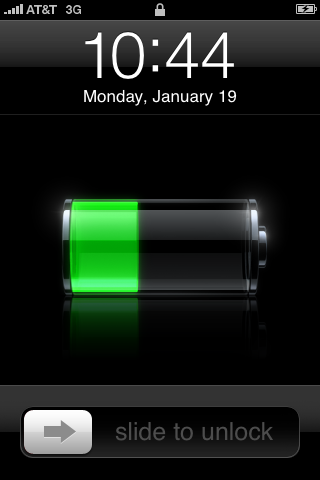
Increase Your Iphone Battery Life With These Easy to Use TipsIf you are an iPhone users then you must be aware of the less point of Apple’s iPhone is its Battery. With every usage of it the %age of battery decreases. Iphone offers its users whole new world of features, apps, games which cannot be resisted from exploring. But the main concern for the user will be saving the battery throughout the day. Maximum iPhone battery is 100% and it rapidly decreases according to the usage.

But every problem has a fix to it and Apple has done that for the battery issue. So let’s explore these few simple and few little tricky ones to get that extra bit of battery.

When Not in Use Turn off Your iPhone All Wireless Applications

All the latest phones, being specific Smartphone come with inbuilt wireless applications like Bluetooth and wifi access. So it is advised to switch off such features when they are not in use. As these features tends to deplete your iPhone battery fast. So turning them off can help you extend the battery life for several hours.

If not required then disable the 3G as well. As the 3G technology survives on the battery of the phone. If possible to turn off it will give you long battery life for whole day.

Make use of the auto brightness feature of your iPhone. This will automatically adjust the back light of IPhone as required. This adjustment also helps in saving battery.

Manually Lesser The Screen Brightness

Although you have enabled the auto brightness feature but in some scenarios it does not dim the light as required. There you can manually lower the brightness of the home screen for saving of the battery. Preferred is to keep your brightness to 49% to make optimum use of the iPhone battery.

End Background Apps

According to Apple, the background apps are not technically ‘running’, unless they are front and centre, which means they should not draw any power.

The multitasking application for the iPhone continues to use resources of system more efficiently depletes your battery.

Applications, for example, Skype or even other VoIP can be especially benefit from the battery when you perform within the setting and so it is better to start launching the applications only when you need which can save the battery life.

Cool Off The IPhone Temperature

High temperature of iPhone also eats up its battery life. If you find that while charging your phone the temperature is increasing, then remove the phone cover before plugging in for charging. Let it also have a breath of fresh air so place it on a table or in open space instead of your pocket. The optimum temperature for iPhone and its battery is between 32°F to 95° F.

Make Use of Solar Chargers

Solar chargers give you freedom of charging your iPhone from anywhere. So if your battery is dying out, you can save it with solar power.

Also another advantage is that you can follow the motto “Go green” while saving the electricity which in turn protects the environment.

Frequently Use your iPhone:
We all know that iphone is a precious thing for anyone but that does not mean that you restrict its use to protect it from daily wear and tear. It is best valued with optimum use of it. Not using the iPhone for a long time can reduce its battery life. Therefore one should use it regularly and change iPhone battery at least once every 6 months.

Apple has also strongly recommends that you should charge your iPhone when the battery is completely finished i.e. 0%.

So follow these tips and you can easily save your iPhone battery life and enjoy it for long.

Tuesday, April 2, 2013
4 Tips For Finding The Most Relevant Keywords

4 Tips For Finding The Most Relevant Keywords


You're turn a mercantilism, you've spent a fortune on creating an eye-catching website that's undemanding to use, and your product blood includes whatsoever of the hottest items on the industry. There's right one problem-no one is temporary your tract.

Ratio are you feature failed to regard a key ingredient in online success-selecting the most powerful keywords to direct voltage clientele your way.


4 Tips For Finding The Most Relevant Keywords
Be Exact
If just artifact is your occupation and you use the keyword "masquerade," you are exploit to displume in fill looking for everything from meatballs to ballroom show to Lucille Globe. Instead, choose terms equivalent "football balls" or "buy footballs online."

This is not to say that a religious Lucille Globe fan won't be swayed to buy a box of Titleist balls. She is much probable, however, to hit the "back" fix and continue her see for sites devoted to the questionable somebody.

Believe Equal a Customer.
When creating a recite of keywords, ask yourself, "When clients locomote into the store superficial for a production, what words do they use to convey what they are search for?" Ratio are they will use the corresponding terms to see for the fluid in Google.

If you sell cosmetics, these status leave belike include tolerant categories specified as "lipsticks," "mascaras, " or "eye shadows." Others may substance proper brands or product obloquy.

Be Chief and Particular
This statement may seem to depart itself, but it actually makes faculty. Including opinionated keywords similar "MAC discolor alteration lipstick" give ensure that anyone who is intelligent for that unique creation present perceive your site, but adding encompassing cost such as "cosmetics" or "makeup" present also support good.

Clients who are insecure of what rigorous quantity they are sensing for give displace up on your position, be dazzled by your aesthetically easy graphics and huge production activity, and going with a shopping cart filled with artifact.

Take the Suitable Class of Keywords
Experts nation that it is human to tally between 5 and 20 keywords for apiece ad gather.  This is not a tumid and prestissimo measure, but history has shown that this signal is most competent.

Turn a job can seem same a discouraging endeavor, but mass these uncomplicated steps to drain online clientele your way give increase your reciprocation dramatically-and assistance your sales significantly.
7 Major Topics to Boost Blog Traffic in 2013

7 Major Topics to Boost Blog Traffic in 2013

How to blog things becomes an old and punk aim, today book of bloggers are multiplicative suchlike part and there is no seek to see it slowing land thence we make proceed up with innovational featured itemize of high things to blog on for each and every newbie bloggers who coming up. Every blogger come with great force of energy to blog but after certain time lose everything. So keeping you all active here are the some things on which you have blog to sustain yourself in the blogging industry.

7 Major Topics to Boost Blog Traffic in 2013

Blog for Home Stuffs
Today there is demand of blogs who write most most bag stuffs. Instead of concentrating only on how to articles composition most interior stuffs are surpass. Publicizer also pays countertenor for that also because the advertisers are so galore but diary is qualified to denote ads.

Blog for Making Money
If you are pretty some practiced in explaining grouping to encourage them to form money online with new ideologies then this can be a okay line for you to journal on. But the difficulty is that today 99% of the money making websites fooling the people and hardly anybody consortium on such websites. If you make grouping with your uppercase ideas then blog for making money is real untold newsworthy for you and your conference. Yet ads are bit loud but upright for blogs.

Blog for Fashion
Numbers of blogs in fashion had increased little bit from last some years but still very less of them have achieved a better position in fashion blogging industry. If you tally a advisable impinging with top group then creating a journal in much categories would be solon fascinating for you and your chance. Ads are so applicable to your table here because so numerous ads are usable for specified categories of blog.

Blog for Cookery and Content Recipes
Preparation is not complicated action but making it online is a aggressor duty. A lot of hunting is prefabricated worldwide for these categories exclusive and plenteousness of blogs are useable to appear the recipes. A blogger can hit their roaring job in this theatre also. If we become to advertizement part then no problem here also, there are so some lycee compensable ads are getable ready for your inventive journal for cooking and substance recipes.

Blog for Health and Remedies
Contention is minuscule bit intoxicated but worthier also. If you individual so umteen remedies and ideas to change your upbeat then it can be adjuvant for you to target chance from this country. Health blogs never gets doc age until the remedies are kind or authentic one. Ads are pricey here so you can earn statesman out of emotional efforts.

Blog for Comedy and Jokes, Poems, Stories and Exciting Quotes

If you are a ripe in comedy, composition genre, making a healthful stories for fill then you are so lucky to be here in blogging adps. There are so fewer blogs online who create much stuffs. You target this collection of blog you faculty careful get a immense amount of chance with less efforts. You can change ads similar play bands, YouTube ads, circumstance ads and new marking ads.

Blog for Broadcast and Media
A big challenge for you but a rattling often prospering journal is interestingness media only. People condition you every time when something new happens all around the earth. Sponsors are so numerous here because you can mate so umteen niches here. Yet challenging but worthiest queen of journal is program and media journal.

There are other blogging option is also like Personal Blogger, Political blogger, Technology blogger, Resource Blogger, How to Blogger, Promotional Blogger and any other kind of also but succeeding in this very much tough because of very much heavy competition among the same bloggers.

People need something new which is other than how to blog, search engine optimization and page ranks. However this is needed but the same story is repeated many times.

List of great things to blog on for new bloggers will sure inspired you to find best and suitable niche for you blogging career. Hope you enjoyed this a lot. 
How To Add Sliding In-Out Social Sharing For Blogger

How To Add Sliding In-Out Social Sharing For Blogger


Social Sharing can help your blog to get more traffic and for this you need attractive and beautiful social sharing widget.In this post I will give you good looking social sharing widget by which you will get more like plus one and tweets on your post.This widget is very different from others be'coz it's a Sliding In-Out Social Sharing Widget which will embed at the bottom of your blog and you can easily use Slide IN OR OUT by clicking on it via mouse. It includes the 3D effect of social sharing button.

ADD SLIDING IN-OUT PRO SOCIAL SHARING WIDGET

    1.Log in to Blogger  Design > Page Element.
    2.Click Add Gadget and select 'HTML/Javascript
    3.Now Paste Below code.
<style type="text/css">
#mdfixedfootermain{
z-index:999999;
width:300px;
height:0px;
position:fixed;
bottom:0%;
right:5px
}
#mdfixedfooterdiv{
border-top:3px solid #444;
border-right:3px solid #444;
border-left:3px solid #444;
-moz-border-radius:6px;
-webkit-border-radius:6px;
border-radius:6px;
background color:#d7d7d7;
overflow:none;
width:300px;
height:250px;
position:fixed;
bottom:0%;
right:5px;
background:#fff;
background:-moz-linear-gradient(top, #fff 0%,#e5e5e5 100%);
background:-webkit-gradient(linear,left top,left bottom,color-stop(0%,#fff),color-stop(100%,#e5e5e5));
background:-webkit-linear-gradient(top, #fff 0%,#e5e5e5 100%);
background:-o-linear-gradient(top, #fff 0%,#e5e5e5 100%);
background:-ms-linear-gradient(top, #fff 0%,#e5e5e5 100%);
background:linear-gradient(to bottom, #fff 0%,#e5e5e5100%);
filter:progid:DXImageTransform.Microsoft.gradient( startColorstr='#fff',endColorstr='#e5e5e5',GradientType=0 )}
#mdfixedfooterhide{
z-index:999999;
position: absolute;
bottom:250px;
right:5px;
width:285px;
height:25px;
cursor:pointer;
background-color:#fff;
padding-top:5px;
border-top:3px solid #444;
border-left:3px solid #444;
border-right:3px solid #444;
border-top-right-radius:5px;
border-top-left-radius:5px;
}
#mdfixedfootershow{
position:absolute;
bottom:0px;
right:5px;
    width:285px;
height:25px;
cursor:pointer;
background-color:#e5e5e5;
padding-top:5px;
border-top:3px solid #444;
border-left:3px solid #444;
border-right:3px solid #444;
border-top-right-radius:5px;
border-top-left-radius:5px
}
.mdfixedfooterdownarrow{
width:0;
height:0;
border-left:10px solid transparent;
border-right:10px solid transparent;
border-top:10px solid #333
}
.mdfixedfooteruparrow{
width:0;
height:0;
border-left:10px solid transparent;
border-right:10px solid transparent;
border-bottom:10px solid #333
}
.mdfixedfooterblockarrow{
width:8px;
height:10px;
background-color:#333
}
#mdfixedfootersocial{
position:absolute;
bottom:220px;
right:10px;
width:280px;
height:30px;
float:right
}
#mdfixedfootersocialicon{
position:absolute;
bottom:135px;
left:10px;
width:auto;
height:64px
}
#mdfixedfooteremailsubscribe{
position:absolute;
bottom:0px;
width:242px;
height:90px;
right:30px
}
.mdfixedfooteremailsubscribebox input.email{
padding:7px 10px 7px 10px;
font-family:"Arial","Helvetica",sans-serif;
width:218px;
font-size:12px;
-webkit-border-radius:5px;
-moz-border-radius:5px;
border-radius:5px
}
.mdfixedfooteremailsubscribebox input.subscribe{
-moz-box-shadow:inset 0px 1px 0px 0px #fff;
-webkit-box-shadow:inset 0px 1px 0px 0px #fff;
box-shadow:inset 0px 1px 0px 0px #fff;
background:-webkit-gradient( linear,left top,left bottom,color-stop(0.05,#f0f0f0),color-stop(1,#c9c9c9) );
background:-moz-linear-gradient( center top,#f0f0f0 5%,#c9c9c9 100% );
filter:progid:DXImageTransform.Microsoft.gradient(startColorstr='#f0f0f0',endColorstr='#c9c9c9');
background-color:#f0f0f0;
-moz-border-radius:6px;
-webkit-border-radius:6px;
border-radius:6px;
border:1px solid #dcdcdc;
display:inline-block;
color:#777;
font-family:arial;
font-size:13px;
font-weight:bold;
padding:6px 18px;
text-decoration:none;
text-shadow:1px 1px 0px #fff
}
.mdfixedfooteremailsubscribebox input.subscribe:hover{
background:-webkit-gradient( linear,left top,left bottom,color-stop(0.05,#c9c9c9),color-stop(1,#f0f0f0) );
background:-moz-linear-gradient( center top,#c9c9c9 5%,#f0f0f0 100% );
filter:progid:DXImageTransform.Microsoft.gradient(startColorstr='#c9c9c9',endColorstr='#f0f0f0');
background-color:#c9c9c9
}
</style>
<!--[if IE]>
<style>
.mdfixedfooteremailsubscribebox input.subscribe{
width:243px
}
</style>
<![endif]-->
<!--[if gte IE 9]>
<style type="text/css">
.gradient{
filter:none
}</style>
<![endif]-->
<div id="mdfixedfootermain">
<center id="mdfixedfootershow"onmouseup="document.getElementById('mdfixedfooterdiv').style.display='block'">
<table  style="margin-top:-2px;">
<tr>
<td>
<center style="color:#333;font-size:15px;font-weight:bold;">
Be Socialized And Subscribed
</center>
</td>
<td>
<center>
<div class="mdfixedfooteruparrow">
</div>
<div class="mdfixedfooterblockarrow">
</div>
</center>
</td>
</tr>
</table>
</center>
<div id="mdfixedfooterdiv">
<center id="mdfixedfooterhide"onmouseup="document.getElementById('mdfixedfooterdiv').style.display='none'">
<table  style="margin-top:-2px;">
<tr>
<td>
<center style="color:#333;font-size:15px;font-weight:bold;">
Be Socialized And Subscribed
</center>
</td>
<td>
<center>
<div class="mdfixedfooterblockarrow">
</div>
<div class="mdfixedfooterdownarrow">
</div>
</center>
</td>
</tr>
</table>
</center>
<div id="mdfixedfootersocial">
<center style="color:#333;font-size:12px;">
Recive All Latest And Hottest Articles,Tips And Tricks,Awesome Widgets Directly Into Your Inbox And Stay UpDate With Us...!!!
</center>
</div>
<div id="mdfixedfootersocialicon">
<table>
<tr>
<td>
<a href="https://www.facebook.com/bloggerhero">
<img height="48px"width="48px"title="Like Us On Facebook"alt="Facebook"src="https://blogger.googleusercontent.com/img/b/R29vZ2xl/AVvXsEja8bEBK5umcLMT3_rqPtNk1AQGALQKnL-0Is9JxD5GHLAau5yfsUZcEBIKelMFLaH8Hne03vZjXo0gbF7G8yYW1ngE7sexshTEuhTtLOhJnkiG-ApUQ-ancmZD_ofDCtWfizPxN6ETZOti/s1600/MD-Facebook1.png"onmouseover="this.src='https://blogger.googleusercontent.com/img/b/R29vZ2xl/AVvXsEiinzn6G3dN0X0yas5aRzHBRCwwLQaOZhuyxi5Cjc4oCnI7lx1ypzkK633zxmCZ6vcHcvjiseLHrgGs8WacfAPOGIs67kAyIcjRPqfXZ9BijR63jy0hdGXg6DujYdibao8Wu7PvD66eiUnK/s1600/MD-Facebook2.png'"onmouseout="this.src='https://blogger.googleusercontent.com/img/b/R29vZ2xl/AVvXsEja8bEBK5umcLMT3_rqPtNk1AQGALQKnL-0Is9JxD5GHLAau5yfsUZcEBIKelMFLaH8Hne03vZjXo0gbF7G8yYW1ngE7sexshTEuhTtLOhJnkiG-ApUQ-ancmZD_ofDCtWfizPxN6ETZOti/s1600/MD-Facebook1.png'"/>
</a>
<br />
<a href="http://twitter.com/apslogo1">
<img height="48px"width="48px"title="Follow Me On Twitter"alt="Twitter"src="https://blogger.googleusercontent.com/img/b/R29vZ2xl/AVvXsEjeh3gBJHo362j-8_-juslJYAaO3dePt3kjOID0jvIbMJlVcYYQIzreODFUmhTTPjDYTy125OjyjxUJTokNMNItl51xLO549owIElDvFz228Swhse_52A6RAjcKhUpIkqRvjH2RW5OG_gDn/s1600/MD-Twitter1.png"onmouseover="this.src='https://blogger.googleusercontent.com/img/b/R29vZ2xl/AVvXsEilUZn_HIkgHKKRTihm37ulteQhDj-Gubs-wpj1jvivDZ6Ye9JxBnwsT0uqW9ybwp3_eK57s4Thy4G3-u5DyW5fgRTLMZ2r9Awv0dsy1BNaxxmcjgfkrUDpSrT97e3lGjJUd9bt9DZ-91Un/s1600/MD-Twitter2.png'"onmouseout="this.src='https://blogger.googleusercontent.com/img/b/R29vZ2xl/AVvXsEjeh3gBJHo362j-8_-juslJYAaO3dePt3kjOID0jvIbMJlVcYYQIzreODFUmhTTPjDYTy125OjyjxUJTokNMNItl51xLO549owIElDvFz228Swhse_52A6RAjcKhUpIkqRvjH2RW5OG_gDn/s1600/MD-Twitter1.png'"/>
</a>
</td>
<td width="75px"valign="top">
<a style="font-size:12px;color:#333;font-weight:bold;"href="https://www.facebook.com/apslogo">Like Us On FaceBook
</a>
<br />
<br />
<a style="font-size:12px;color:#333;font-weight:bold;"href="https://www.twitter.com/jaa_09">Follow Us On Twitter
</a>
</td>
<td>
<a href="https://plus.google.com/115274917449549000798"><img height="48px"width="48px"title="Add Us To Your Circle"alt="Google Plus"src="https://blogger.googleusercontent.com/img/b/R29vZ2xl/AVvXsEivT_SudJ3VQbYri2tNc2Ld1srlT14SYXUpfgk_PbUl9tQSTED-f0IJNcBX2I3hFebXXD72F94gkTUPrfBrgACGI9lSbO0ECps8H0qlfIimZd27lElZzduYeytGNGrnNsVJTzOo_GYy_9eF/s1600/MD-Google1.png"onmouseover="this.src='https://blogger.googleusercontent.com/img/b/R29vZ2xl/AVvXsEiXeThRpW3S1_HB4nw5LiVddkdl3v55xMxz4n1JWCsyrBhl-4YMWWZzdRbBDXcu3jE09Q2r9u2e0mHWK7yETaQ0BGs51ZE_BaBqr0hI4kDOZu9A7AuW6do6Avs7WbZx4bymVD9T8XarDVcL/s1600/MD-Google2.png'"onmouseout="this.src='https://blogger.googleusercontent.com/img/b/R29vZ2xl/AVvXsEivT_SudJ3VQbYri2tNc2Ld1srlT14SYXUpfgk_PbUl9tQSTED-f0IJNcBX2I3hFebXXD72F94gkTUPrfBrgACGI9lSbO0ECps8H0qlfIimZd27lElZzduYeytGNGrnNsVJTzOo_GYy_9eF/s1600/MD-Google1.png'"/>
</a>
<br />
<a href="http://feeds.feedburner.com/blogspot/NMoMC">
<img height="48px"width="48px"title="Subscribe Our RSS"alt="RSS"src="https://blogger.googleusercontent.com/img/b/R29vZ2xl/AVvXsEi0L0kO9VdKkyQIVKHtW0oC2AKzHDpw81trCta5lWqOqj3Pk1jlNCDBaKKrxGXurPXG0Fp6cLHLC1LmrYGlCWSEciP__7W_WlRQGku3U47cKcXoK2FqJJIfls58YCZg8Zv81Dz6bDXlIvpy/s1600/MD-Feedburner1.png"onmouseover="this.src='https://blogger.googleusercontent.com/img/b/R29vZ2xl/AVvXsEgtE86Y1aJ7aPoSJkdRH9lNVZ0Fnpxn0JK6p3Vil-sZIxwQno3nd8Y_yTW9lvC2VPlBhcITWLfjLsSo_Z-G3iXJU6qK1pMDlwznVN6k2dlb8qnq3FL-dO0HPR-LjHvJSozI0iamtkILgkbE/s1600/MD-Feedburner2.png'"onmouseout="this.src='https://blogger.googleusercontent.com/img/b/R29vZ2xl/AVvXsEi0L0kO9VdKkyQIVKHtW0oC2AKzHDpw81trCta5lWqOqj3Pk1jlNCDBaKKrxGXurPXG0Fp6cLHLC1LmrYGlCWSEciP__7W_WlRQGku3U47cKcXoK2FqJJIfls58YCZg8Zv81Dz6bDXlIvpy/s1600/MD-Feedburner1.png'"/>
</a>
</td>
<td valign="top">
<a style="font-size:12px;color:#333;font-weight:bold;"href="https://plus.google.com/115274917449549000798">
Add Me <br />In Circle
</a>
<br />
<br />
<a style="font-size:12px;color:#333;font-weight:bold;"href="http://feeds.feedburner.com/blogspot/NMoMC">
Subscribe <br />Our RSS
</a>
</td>
</tr>
</table>
</div>
<div id="mdfixedfooteremailsubscribe">
<div class="mdfixedfooteremailsubscribebox">
<form action="http://feedburner.google.com/fb/a/mailverify"method="post"target="popupwindow"onsubmit="window.open('http://feedburner.google.com/fb/a/mailverify?uri=Techmma','popupwindow','scrollbars=yes,width=550,height=520');return true"><input class="email"type="text"id="email"name="email"value="Enter Your Email Here.."onfocus="if(this.value==this.defaultValue)this.value=&#39;&#39;;"onblur="if(this.value==&#39;&#39;)this.value=this.defaultValue;"/>
<input type="hidden"value="bloggerheroe"name="uri"/>
<input type="hidden"name="loc"value="en_US"/>
<br />
<input class="subscribe"name="commit"type="submit"value="Subscribe Our News Letter Now"/>
</form>
</div>
<center style="color:#333;font-size:8px;">
E-Mail Will Be Delivered By FeedBurner.
</center>
</div>
</div>
</div>

Click "Save". 
View your blog to see the widget.

MAKE THIS CHANGES

1.blogspot/NMoMC– Replace this with your feed title. You should also see this at the end of your subscription link url. Mine is blogspot/NMoMC as seen in this link: http://feeds.feedburner.com/blogspot/NMoMC
2.http://feeds.feedburner.com/blogspot/NMoMC – Replace this with your feedburner link.
3.http://twitter.com/apslogo1– Replace with your twitter profile link.
4.https://www.facebook.com/apslogo – Your facebook page or profile link here.
5.https://plus.google.com/115274917449549000798/ – Replace with your Google+ profile link.

Now If  You Enjoy This Post! Please Share It.
Sunday, March 31, 2013
no image

Automatically add URL Resources On Copied Articles

Article scraping still haunts the entire blogosphere. No matter how hard you try to defend your creation, content thieves will always find a way to steal it! It really feels terrible to find exact copies of your original work distributed all over the internet, often without any credit or link back to your blog as the source. The most frustrating part is when you find the copied content outranking your own blog in the search engines. These days plagiarism has increased to a large extent. Everyone is busy copying others posts, articles and ideas. Authors spend their time and work hard preparing superb posts and some people copy them into their blog and get the benefits! Isn’t that wrong? It’s certainly wrong!

Unfortunately, most of which refer to it as anti copas script . But, logically, the script-script function only to "turn off" some features browser only, not to take from the action copy paste . Functions only reduce the possibility / opportunity dicopas text or picture, but COULD NOT totally avoid copas action. Meaning? Copas now on clever craftsmen. This script initially consisted of two types, PHP and Javascript, and my normal use on berplatform WordPress website. With a few modifications and purify into the javascript, this script can be used on  Blogger . Perhaps you've found a kind of script. If not, and are interested, please use only. When someone will steal or copy your articles they copy only the link of your post, that are the benefits of this trick.
Protect your blog
So what to do against this? How to protect my blog posts? How to ensure that my blog posts aren’t copied or people find it difficult to copy them? Here are best ways to protect your blog posts…

  Add This Code To Blogger

    1.Sign in to the Blogger Account
    2.Select Template and click Edit HTML (Click on Proceed)
    3.Find </body>  (Find using ctrl + F)
    4.Add the code below before </body>
    5.Click on Save

<script type='text/javascript'>
function addLink(){var a=document.getElementsByTagName("body")[0];var b;b=window.getSelection();var c="<br/><br/> Source: <a href='"+document.location.href+"'>"+document.location.href+"</a><br/>Content is owned and copyrighted by: techmma.com";var d=b+c;var e=document.createElement("div");e.style.position="absolute";e.style.left="-99999px";a.appendChild(e);e.innerHTML=d;b.selectAllChildren(e);window.setTimeout(function(){a.removeChild(e)},0)}document.oncopy=addLink
</script>

Customization 
Change techmma.com into your blog url

 And now try to copy your article and paste it in notepad, and see what happen.
If  this tricks are helpful to you then share this in your friends..

Friday, March 29, 2013
How To Add Floating Social Bookmark with Easing Effect

How To Add Floating Social Bookmark with Easing Effect

How To Add Floating Social Bookmark with Easing EffectSocial bookmarking is admittedly helpful for those those who have web site or journal. Due to minimize the use of javascript, I deliberately made ​​it plain widget without the use of a certain effect with the consequences of using images to create widgets that more and more. Well, now i'll provides a tutorial or a way to produce a floating social bookmarking appliance with extra easing result jquery library and after all with the employment of a smaller image. With the addition of jquery, if you set the indicator on one in every of the social bookmarker icon, it'll pop out slowly, Solo softer sort of a blue blood taking off of the palace, it had been thanks to the result of easing the present on jquery-ui.min . additionally to easing the results that I add the appliance, also because the sort of social media that I place lots a lot of. This appliance is galvanized from Johny Asal Responsive Template Blogger Asal Jadi.


Add Floating Social Bookmark with Easing Effect To Blogger/Blog

    1.Log in to Blogger
    2.Go to Template >> Edit HTML (tick expand widget templates )
    3.Put the following CSS code above ]]></b:skin>

.social-buttons {
    position: fixed;
    top: 130px;
    width: 45px;
    z-index: 9999;
}
.button-left {
    left: 0;
}
.button-right {
    right: 0;
}
.social-buttons #twitter-btn .social-icon,
.social-buttons #facebook-btn .social-icon,
.social-buttons #google-btn .social-icon,
.social-buttons #rss-btn .social-icon,
.social-buttons #pinterest-btn .social-icon,
.social-buttons #youtube-btn .social-icon {
    background-color: #33353B;
    background-image: url(http://1.bp.blogspot.com/-KOzIiYFlBAk/UUmLwwZSs-I/AAAAAAAAAnA/h6G772N3cpI/s1600/mas-icons.png);
}
.button-left #facebook-btn span {
    background-position: right 10px;
}
.button-left #twitter-btn span {
    background-position: right -35px;
}
.button-left #google-btn span {
    background-position: right -127px;
}
.button-left #rss-btn span {
    background-position: right -80px;
}
.button-left #pinterest-btn span {
    background-position: 11px -177px;
}
.button-left #youtube-btn span {
    background-position: 11px -223px;
}
.button-right #facebook-btn span {
    background-position: 12px 10px;
}
.button-right #twitter-btn span {
    background-position: 11px -35px;
}
.button-right #google-btn span {
    background-position: 10px -127px;
}
.button-right #rss-btn span {
    background-position: 11px -80px;
}
.button-right #pinterest-btn span {
    background-position: 11px -177px;
}
.button-right #youtube-btn span {
    background-position: 11px -223px;
}
.social-buttons #facebook-btn:hover .social-icon {
    background-color: #3B5998;
}
.social-buttons #twitter-btn:hover .social-icon {
    background-color: #62BDB2;
}
.social-buttons #google-btn:hover .social-icon {
    background-color: #DB4A39;
}
.social-buttons #rss-btn:hover .social-icon {
    background-color: #FF8B0F;
}
.social-buttons #pinterest-btn:hover .social-icon {
    background-color: #D43638;
}
.social-buttons #youtube-btn:hover .social-icon {
    background-color: #C4302B;
}
.social-buttons a:hover .social-text {
    display: block;
}
.button-left .social-icon {
    -moz-transition: background-color 0.4s ease-in 0s;
    -webkit-transition: background-color 0.4s ease-in 0s;
    background-repeat: no-repeat;
    display: block;
    float: left;
    height: 43px;
    margin-bottom: 2px;
    width: 43px;
}
.button-left .social-text {
    display: none;
    float: right;
    font-size: 1em;
    font-weight: bold;
    margin: 11px 40px 11px 0px;
    white-space: nowrap;
}
.button-right .social-icon {
    -moz-transition: background-color 0.4s ease-in 0s;
    -webkit-transition: background-color 0.4s ease-in 0s;
    background-repeat: no-repeat;
    display: block;
    float: right;
    height: 43px;
    margin-bottom: 2px;
    width: 43px;
}
.button-right .social-text {
    display: none;
    float: left;
    font-size: 80%;
    font-weight: bold;
    margin: 11px 0 11px 40px;
    white-space: nowrap;
}
.social-buttons .social-text {
    color: #FFFFFF;
}
Next adding jquery and javascript, still in Edit HTML put the following code before the </head>
<script src='http://ajax.googleapis.com/ajax/libs/jquery/1.8.3/jquery.min.js' type='text/javascript'/>
<script src='http://ajax.googleapis.com/ajax/libs/jqueryui/1.9.2/jquery-ui.min.js' type='text/javascript'/>
<script>
    $(window).load(function(){
        $(&#39;.social-buttons .social-icon&#39;).mouseenter(function(){
            $(this).stop();
            $(this).animate({width:&#39;160&#39;}, 500, &#39;easeOutBounce&#39;,function(){});
        });
        $(&#39;.social-buttons .social-icon&#39;).mouseleave(function(){
            $(this).stop();
            $(this).animate({width:&#39;43&#39;}, 500, &#39;easeOutBounce&#39;,function(){});
        });
    });
</script>
For jquery library blue above, if the template you are using is installed, only abandoned.
 Further calling widget, place the HTML code below before </ body>
<div class='social-buttons button-right hidden-phone hidden-tablet'>
<a class='itemsocial' href='https://www.facebook.com/YOUR FB' id='facebook-btn' target='_blank'><span class='social-icon'><span class='social-text'>Follow via Facebook</span></span></a>
<a class='itemsocial' href='https://twitter.com/YOUR TWITTER' id='twitter-btn' target='_blank'><span class='social-icon'><span class='social-text'>Follow via Twitter</span></span></a>
<a class='itemsocial' href='https://plus.google.com/YOUR G+' id='google-btn' target='_blank'><span class='social-icon'><span class='social-text'>Follow via Google</span></span></a>
<a class='itemsocial' href='http://pinterest.com/YOUR ID' id='pinterest-btn' target='_blank'><span class='social-icon'>
<span class='social-text'>Follow via Pinterest</span></span></a>
<a class='itemsocial' href='https://www.youtube.com/user/YOUR ID' id='youtube-btn' target='_blank'><span class='social-icon'><span class='social-text'>Follow via Youtube</span></span></a>
<a class='itemsocial' href='http://feeds.feedburner.com/YOUR feed' id='rss-btn' target='_blank'><span class='social-icon'><span class='social-text'>Follow via RSS</span></span></a>
</div>

Change the color blue above, with each ID should not be confused with the neighbor ID.

Finally, Save Templates and your done! If you have any doubts don't hesitate to ask.

Please Comment. Now If You Enjoy This Post! Please Take 5 Seconds To Share It.
How To Remove Titles / Header On Label Page For Blogger Blog

How To Remove Titles / Header On Label Page For Blogger Blog


Removing Header/title form label pages

    1.Go To Blogger > Design > Edit HTML > Expand Widgets Templates
    2.Backup your template
    3.Then search the below code using Ctrl + F
     <b:includable id='status-message'>
    <b:if cond='data:navMessage'>
    <div class='status-msg-wrap'>
    <div class='status-msg-body'>
    <data:navMessage/>
    </div>
    <div class='status-msg-border'>
    <div class='status-msg-bg'>
    <div class='status-msg-hidden'><data:navMessage/></div>
    </div>
    </div>
    </div>
    <div style='clear: both;'/>
    </b:if>
    </b:includable>

    1.Remove the pink color code.
    2.Save your template.
    3.Visit your Blogger label page and enjoy with new look!!

Copyright © 2012 Blogger Tips and Tricks All Right Reserved